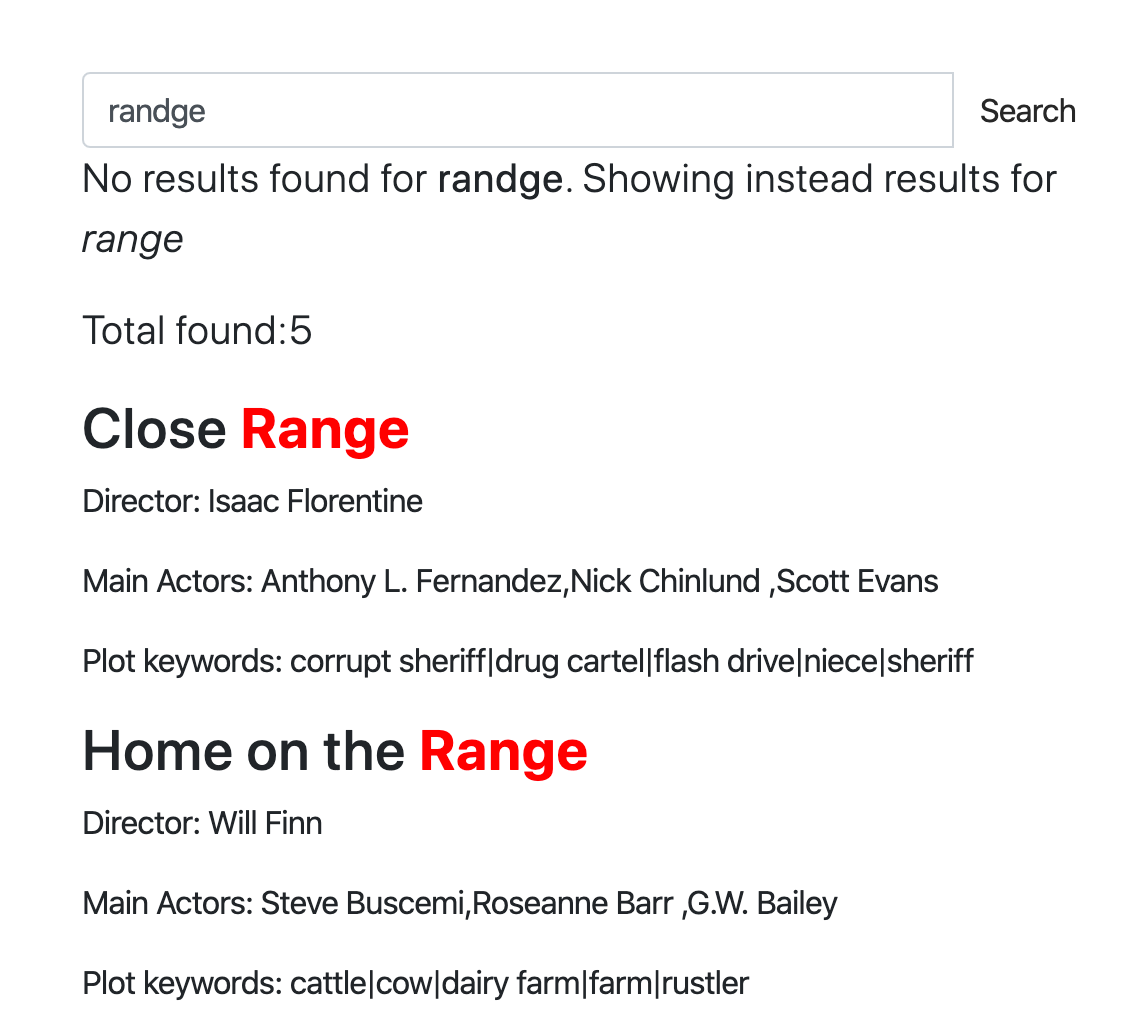
Spell correction also known as:
and so on is a software functionality that suggests you alternatives to or makes automatic corrections of the text you have typed in. The concept of correcting typed text dates back to the 1960s, when a computer scientist named Warren Teitelman who also invented the “undo” command came up with a philosophy of computing called D.W.I.M., or “Do What I Mean.” Rather than programming computers to accept only perfectly formatted instructions, Teitelman said we should program them to recognize obvious mistakes.
The first well known product which provided spell correction functionality was Microsoft Word 6.0 released in 1993.
There are few ways how spell correction can be done, but the important thing is that there is no purely programmatic way which will convert your mistyped “ipone” into “iphone” (at least with decent quality). Mostly there has to be a data set the system is based on. The data set can be:
Manticore provides commands CALL QSUGGEST and CALL
SUGGEST that can be used for the purpose of automatic spell
correction.
They are both available via SQL only and the general syntax is:
CALL QSUGGEST(word, index [,options])
CALL SUGGEST(word, index [,options])
options: N as option_name[, M as another_option, ...]These commands provide for a given word all suggestions from the dictionary. They work only on indexes with infixing enabled and dict=keywords. They return the suggested keywords, Levenshtein distance between the suggested and original keywords and the docs statistics of the suggested keyword.
If the first parameter is not a single word, but multiple, then: *
CALL QSUGGEST will return suggestions only for the
last word, ignoring the rest * CALL
SUGGEST will return suggestions only for the
first word
That’s the only difference between them. Several options are supported for customization:
| Option | Description | Default |
|---|---|---|
| limit | Returns N top matches | 5 |
| max_edits | Keeps only dictionary words which Levenshtein distance is less than or equal to N | 4 |
| result_stats | Provides Levenshtein distance and document count of the found words | 1 (enabled) |
| delta_len | Keeps only dictionary words whose length difference is less than N | 3 |
| max_matches | Number of matches to keep | 25 |
| reject | Rejected words are matches that are not better than those already in the match queue. They are put in a rejected queue that gets reset in case one actually can go in the match queue. This parameter defines the size of the rejected queue (as reject*max(max_matched,limit)). If the rejected queue is filled, the engine stops looking for potential matches | 4 |
| result_line | alternate mode to display the data by returning all suggests, distances and docs each per one row | 0 |
| non_char | do not skip dictionary words with non alphabet symbols | 0 (skip such words) |
To show how it works let’s create an index and add few documents into it.
create table products(title text) min_infix_len='2';
insert into products values (0,'Crossbody Bag with Tassel'), (0,'microfiber sheet set'), (0,'Pet Hair Remover Glove');As you can see we have a mistype in “crossbUdy”
which gets corrected to the “crossbody”. In addition to that by default
CALL SUGGEST/QSUGGEST return:
distance - the Levenshtein distance which means how
many edits they had to make to convert the given word to the
suggestiondocs - and the number of docs that have this wordTo disable these stats display you can use option 0 as
result_stats.
call suggest('crossbudy', 'products');+-----------+----------+------+
| suggest | distance | docs |
+-----------+----------+------+
| crossbody | 1 | 1 |
+-----------+----------+------+If the first parameter is not a single word, but multiple, then
CALL SUGGEST will return suggestions only for the first
word.
call suggest('bagg with tasel', 'products');+---------+----------+------+
| suggest | distance | docs |
+---------+----------+------+
| bag | 1 | 1 |
+---------+----------+------+If the first parameter is not a single word, but multiple, then
CALL SUGGEST will return suggestions only for the last
word.
CALL QSUGGEST('bagg with tasel', 'products');+---------+----------+------+
| suggest | distance | docs |
+---------+----------+------+
| tassel | 1 | 1 |
+---------+----------+------+Using 1 as result_line in the options turns on alternate
mode to display the data by returning all suggests, distances and docs
each per one row.
CALL QSUGGEST('bagg with tasel', 'products', 1 as result_line);+----------+--------+
| name | value |
+----------+--------+
| suggests | tassel |
| distance | 1 |
| docs | 1 |
+----------+--------+This interactive course demonstrates online how it works on a web page and provides different examples.